CallGenie Accessories

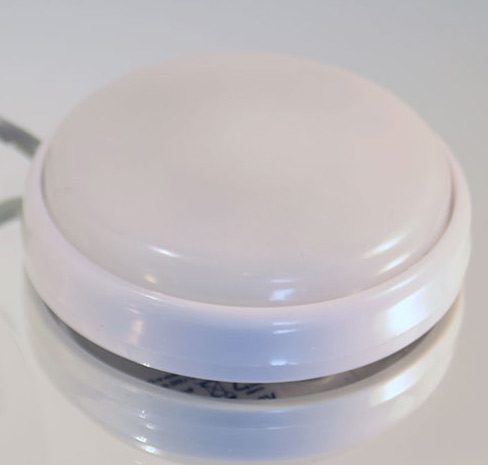
Do Not Disturb Button – Designed for personal care situations

The “Do Not Disturb” button connects to the CallGenie system via USB. When pressed the first time it lights red and disables incoming calls. When pressed again the light goes off and the incoming calls are re-enabled.

It is designed primarily for carers and nursing staff to stop incoming calls while they are providing personal care in a domiciliary or care facility environment.

Outbound Call Button

The Outbound Call button connects to the CallGenie system via USB. It is ideal for the CallGenie user that not only values the simplicity of automatically-answered inbound calls but who would also like a simple solution for making outbound calls to a nominated contact.

The call is initiated by pressing the button. Once the call is connected, the television switches to the CallGenie input for the duration of the call. Once the nominated contact hangs up at their end, the television is returned to the state it was in before the call.

As the Outbound Call button has to be connected physically to the CallGenie Mini PC, it needs to ideally be co-located with the Mini PC. It is, therefore, suited to the more physically able user.

Additional buttons can be added to the system if there’s a requirement for outbound calls to multiple recipients. This can be achieved by using a USB splitter for 2 contacts or a USB hub for 3 or more contacts.

Do Not Disturb Button – Designed for personal care situations

Do Not Disturb Button – Designed for personal care situations

The “Do Not Disturb” button connects to the CallGenie system via USB. When pressed the first time it lights red and disables incoming calls. When pressed again the light goes off and the incoming calls are re-enabled.

It is designed primarily for carers and nursing staff to stop incoming calls while they are providing personal care in a domiciliary or care facility environment.

Outbound Call Button

Outbound Call Button

The Outbound Call button connects to the CallGenie system via USB. It is ideal for the CallGenie user that not only values the simplicity of automatically-answered inbound calls but who would also like a simple solution for making outbound calls to a nominated contact.

The call is initiated by pressing the button. Once the call is connected, the television switches to the CallGenie input for the duration of the call. Once the nominated contact hangs up at their end, the television is returned to the state it was in before the call.

As the Outbound Call button has to be connected physically to the CallGenie Mini PC, it needs to ideally be co-located with the Mini PC. It is, therefore, suited to the more physically able user.

Additional buttons can be added to the system if there’s a requirement for outbound calls to multiple recipients. This can be achieved by using a USB splitter for 2 contacts or a USB hub for 3 or more contacts.

Contact Us

Ask a question or check your television will be compatible with CallGenie

Phone

+44 (0)1252 918824

Address

45 Fairhaven Avenue, West Mersea, Essex, CO5 8EZ, UK

Follow Us